For Chrome and Edge
Your daily horoscope, one click away
The 12horoscope extension puts today's reading for your sign in your browser toolbar: the headline, love, career, money and wellbeing, lucky details, and what the Moon is doing. It can nudge you once a morning, at the hour you choose.
Version 1.0.0 · 184 KB · ZIP · Free · no ads · no account needed
SHA-256: d5a2cb39b5e0910f8b10a1d96df56ebd75f89b97043b8bfb8ab699d58d5db9ae
Works on desktop Chrome, Edge, Brave, Opera and other Chromium browsers.
A Chrome Web Store version is on its way. Until then, install it in two minutes with the guide below.
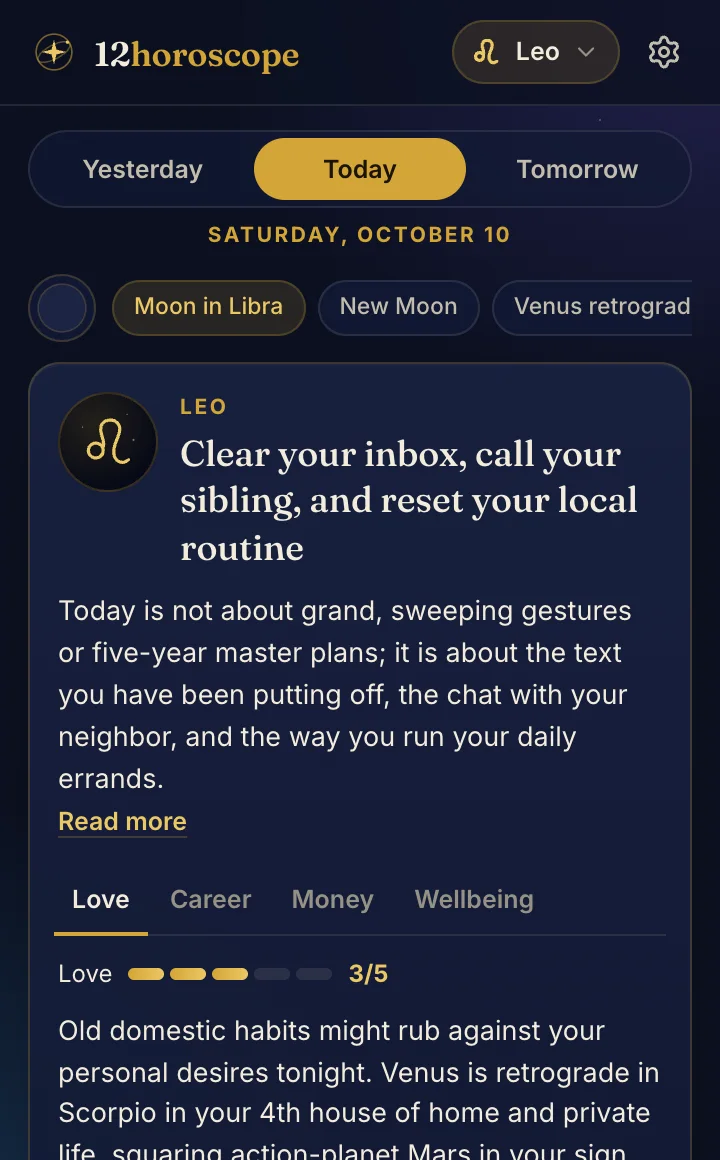
Connect your account
Link the extension to your 12horoscope account to see your personal daily reading (transits to your birth chart) and your Big Three in the popup.
The extension gets a read-only key that can only fetch your personal reading and your Big Three. It can't change anything or see your email. You can revoke it anytime under Account → Settings → “Where you’re signed in”.
What it does
Today, yesterday, tomorrow
The full daily reading for your sign, with love, career, money and wellbeing tabs and score bars.
The real sky
The Moon's sign and phase and any personal-planet retrogrades, computed from the same ephemeris as the site.
A morning reminder
One quiet notification a day at the hour you pick, with your headline. Turn it off anytime.
New articles
A small dot on the icon when there's a new article about your sign. The latest three are listed in the popup.
Your personal reading
Connect your 12horoscope account to see transits to your own birth chart, not just your Sun sign.
Works offline
The last readings are kept on your computer, so the popup opens instantly, even without a connection.
A look inside
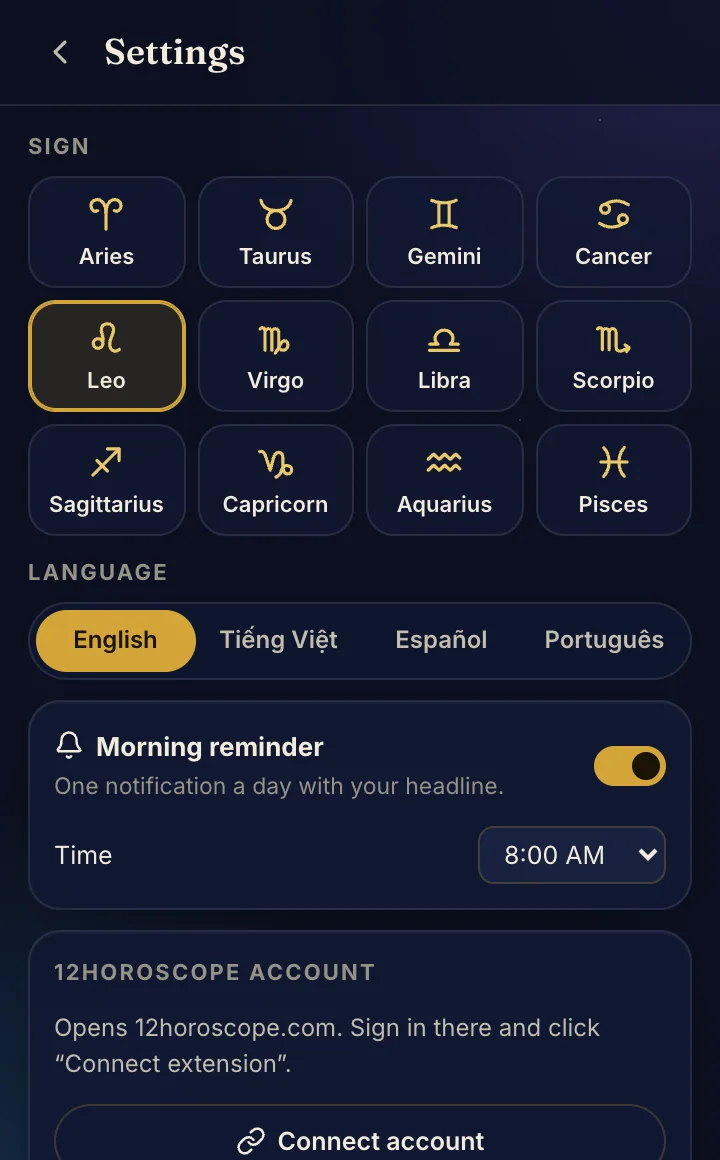
Settings: sign, language and morning reminder
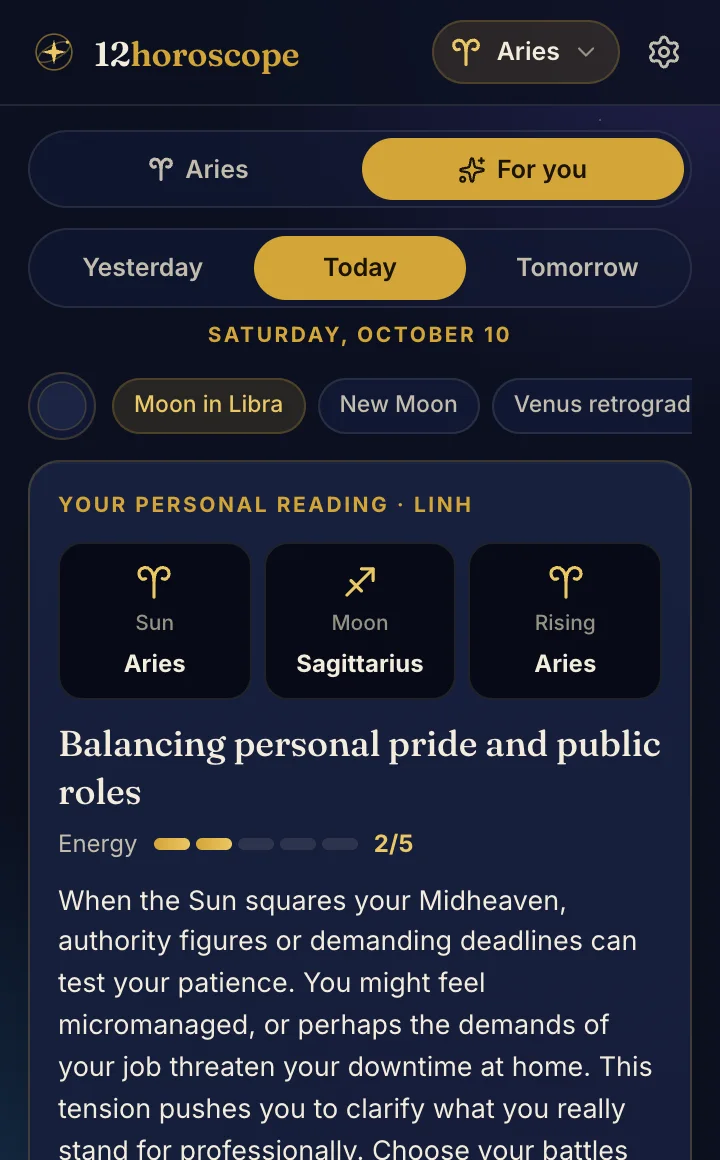
Your personal reading after connecting your account
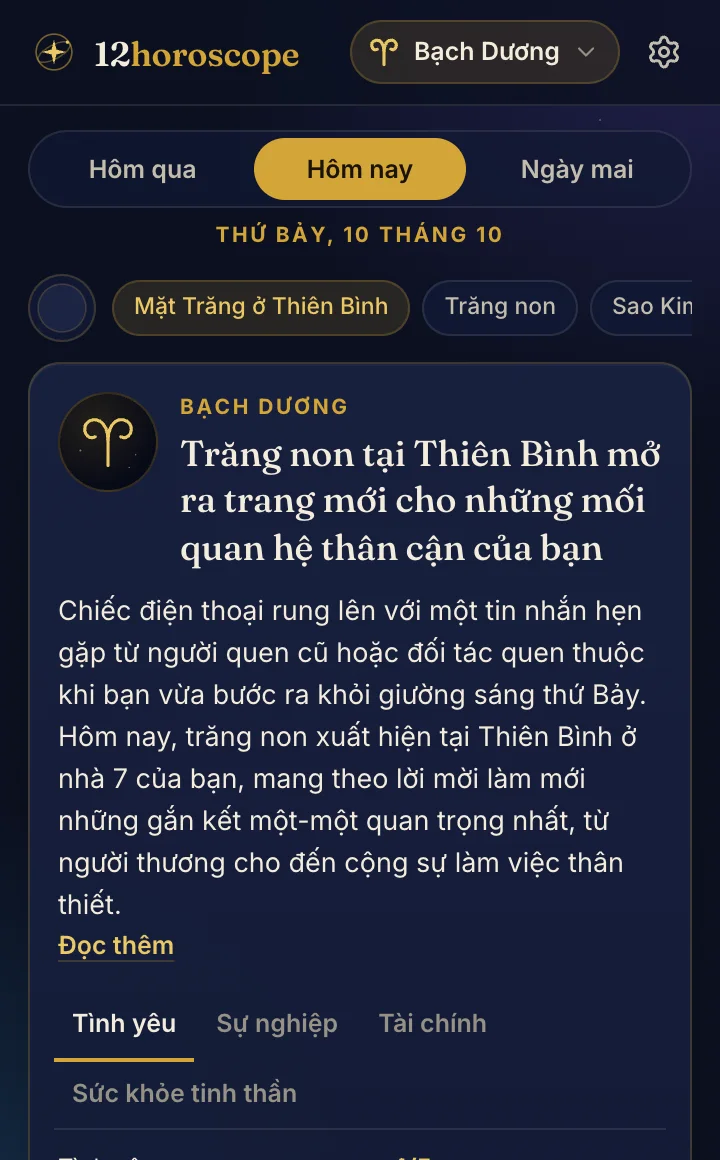
Fully localized: here in Vietnamese
How to install
Until the extension is listed in the Chrome Web Store, you add it yourself in developer mode. It takes about two minutes and you only do it once.
Google Chrome (and Brave, Opera, Vivaldi)
- 1
Download the ZIP file with the button above.
- 2
Unzip it. You get a folder named “12horoscope-extension-1.0.0”. Move it somewhere permanent, such as Documents: the browser loads the extension from this folder, so don't delete it.
- 3
Open a new tab and go to
chrome://extensions - 4
Switch on “Developer mode” in the top-right corner.
- 5
Click “Load unpacked” and choose the unzipped folder (the one that contains manifest.json).
- 6
Click the puzzle-piece icon in the toolbar and pin 12horoscope. Open it, pick your sign, and you're done.
Microsoft Edge
- 1
Download and unzip the file as above, and keep the folder somewhere permanent.
- 2
Go to
edge://extensions - 3
Switch on “Developer mode” (in the left panel, or at the bottom of the page).
- 4
Click “Load unpacked” and choose the unzipped folder.
- 5
Click the Extensions icon in the toolbar and choose “Show in toolbar” next to 12horoscope.
The extension is the same package that will be submitted to the Chrome Web Store: no remote code, three narrow permissions, and nothing that reads the pages you visit.
Privacy, plainly
Kept on your computer only
- Your sign, language and reminder settings.
- The last few readings, sky notes and article titles, so the popup works offline.
- If you connect your account: a read-only access key (never your password or email).
What it asks 12horoscope.com for
- Today's reading, the sky and the latest articles. Requests only contain a language, a sign and a date.
- Your personal reading, only if you connected your account.
- An anonymous “opened” count with no identifiers, which you can switch off in the settings.
It never reads the pages you visit, your browsing history or your tabs, and it shows no ads.
Full privacy policy →Permissions it asks for
storage- To remember your settings and keep the latest readings for offline use.
alarms- To wake up once a morning for your reminder, and every few hours to check for new articles.
notifications- To show the morning reminder. You can turn reminders off in the settings.
No access to websites: it doesn't request “read and change data on websites you visit”.
Questions
How do I update it?
Download the new ZIP, unzip it over the same folder (replace the files), then click the reload arrow on the 12horoscope card in chrome://extensions. Your settings stay. Once the Web Store version is out, updates will be automatic.
Chrome warns about developer-mode extensions. Is that a problem?
No. Chrome reminds you about any extension installed outside its store. You can dismiss it; the Web Store version won't trigger the reminder.
How do I remove it?
Go to chrome://extensions (or edge://extensions) and click Remove on the 12horoscope card. Everything it stored is deleted with it. If you connected your account, the key is revoked when you click “Disconnect” in the extension, or you can revoke it yourself under Account → Settings.
Does it work on Firefox, Safari or my phone?
Not yet. It works on desktop Chrome, Edge and other Chromium browsers. On a phone, add 12horoscope.com to your home screen or sign up for the daily email.
Is it free?
Yes, completely, with no ads and no account required.